
Visual Monitor
Pixel-accurate change detection
Detect changes on your website with pixel-accurate precision. Monitor full pages, individual elements, or defined regions with automatic screenshots and intelligent image comparison.
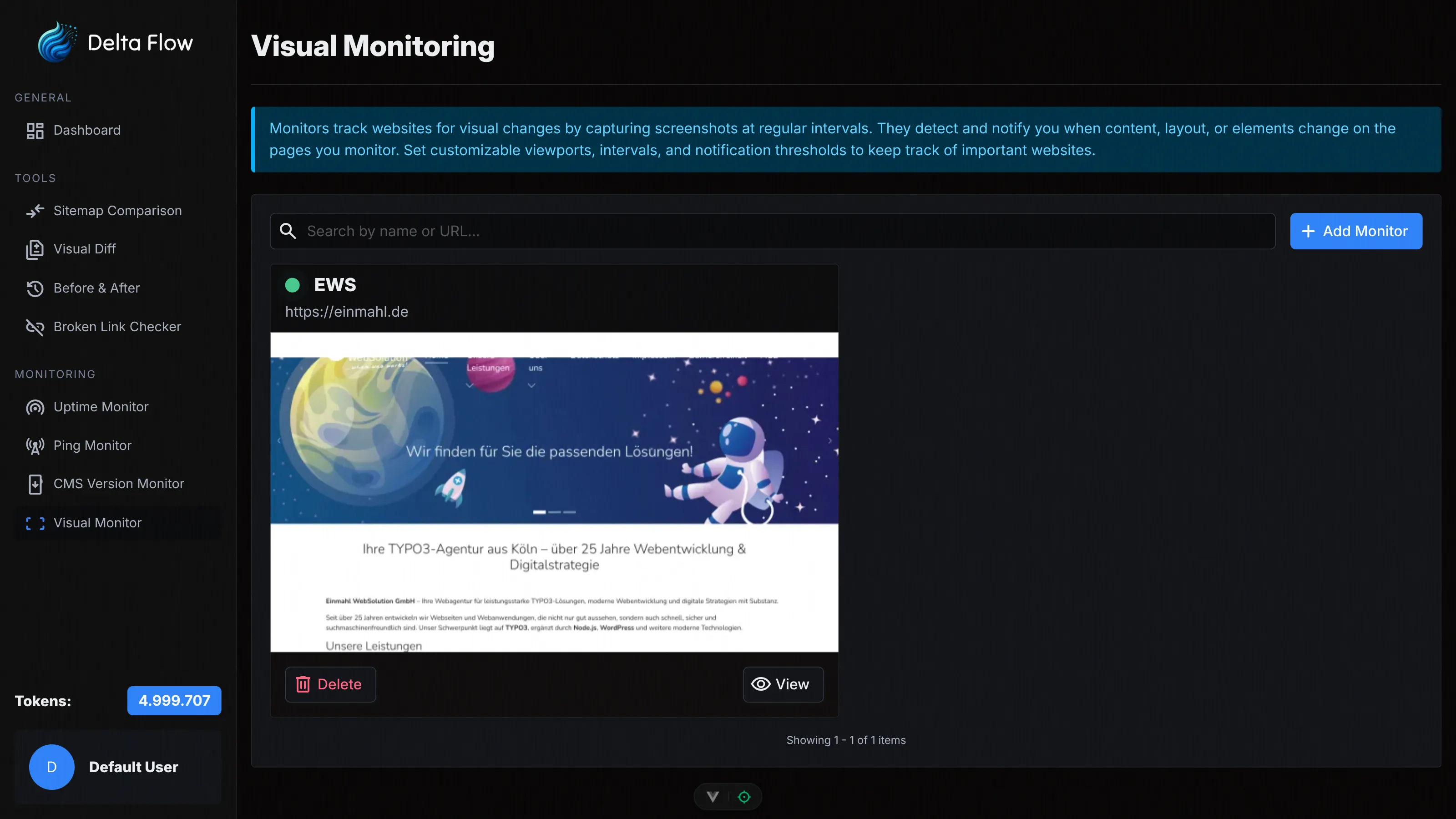
Why Visual Monitor?
Visual changes on your website can affect important information, prices, availability, or content. With our Visual Monitor, you automatically detect even the smallest change and receive instant notifications.

Pixel-Accurate Detection
Our image comparison algorithm detects even the smallest changes with pixel-accurate precision. You see exactly what has changed.

Flexible Monitor Types
Monitor the entire page, individual elements, or defined regions. Choose the monitor type that best fits your requirements.

Intelligent Filters
Automatically block ads and cookie banners, remove interfering elements, and configure thresholds for minimum changes.
Monitor Types

Full-Page Monitor
Captures the entire webpage in a single screenshot. Perfect for monitoring complete page layouts and comprehensive changes.
Element Monitor
Monitors a specific DOM element via CSS selector. Ideal for prices, availability, or important content that changes frequently.

Region Monitor
Monitors a defined region of the page (x, y, width, height). Perfect for specific areas like headers, footers, or content regions.
Features in Detail
Flexible Configuration
Configure check intervals from minutes to weeks, choose different viewport sizes, and adjust capture settings. Optionally disable JavaScript or run actions before capture.

Viewport Adjustment
Choose from predefined viewport sizes or configure your own dimensions. Adjust the device scale factor and simulate different devices and screen sizes.
Intelligent Cleanup
Automatically block ads and cookie banners, remove interfering elements via CSS selectors, and configure actions before capture. This gives you consistent screenshots without distractions.
Image Comparison with Diff View
See changes at a glance with our diff view. Switch between New, Old, Diff, and highlighted changes. The change percentage shows you how large the deviation is.
AI Descriptions
Optionally enable AI-generated descriptions for detected changes. The AI analyzes the screenshots and explains in natural language what has changed. Increases token consumption by 2 tokens per change.

Configure Thresholds
Set minimum change percentages (0%, 1%, 5%, 10%, 25%, 50%) to only receive relevant changes. This prevents you from being notified about unimportant minor changes.

How It Works
Create Monitor
Choose the monitor type (Full Page, Element, or Region), enter the URL, and configure interval, viewport, and cleanup options. Optionally select elements or regions interactively in the browser.

Automatic Screenshots
Our systems automatically take screenshots at the configured intervals. Screenshots are saved in WebP format and thumbnails are generated for quick preview.

Perform Image Comparison
Each new screenshot is automatically compared with the previous one. Our algorithm detects pixel-accurate differences and calculates the change percentage.

Receive Notifications
Get instantly notified by email when changes are detected that exceed your threshold. View the changes in the dashboard with diff view and optional AI descriptions.

Technical Details

Pixel-Accurate Comparison
Our image comparison algorithm compares screenshots pixel by pixel and calculates precise change percentages. Even the smallest differences are detected.
Interactive Selection
Select elements or regions directly in the browser. Our session management allows you to visually define the areas to monitor.
Flexible Intervals
Configure check intervals from 1 minute to several weeks. The daily token usage display helps you with planning.
Choose Your Plan
All plans include access to all monitoring features. The difference lies in the number of monthly tokens and maximum monitors.
Frequently Asked Questions
Ready to Get Started?
Create your first Visual Monitor today and automatically detect changes on your website.