
Sitemap Comparison
Automatic website comparison
Automatically compare two websites page by page. Identify differences in structure and content with visual screenshots and detailed PDF reports for comprehensive analyses.
Why Sitemap Comparison?
During migrations, redesigns, or quality assurance you often need to compare two versions of a website. Our Sitemap Comparison automates this process and delivers a comprehensive report with all differences.

Automatic Comparison
Load the sitemaps of both websites and have all pages compared automatically. No more manual work – the system does everything for you.

Visual Screenshots
For each page you get screenshots of both websites, diff images with highlighted differences, and detailed comparison data.

PDF Report
Generate a comprehensive PDF report with all results. Perfect for documentation, presentations, or archiving.
Features in Detail
Sitemap Parsing
Our system automatically loads and parses XML sitemaps, supports recursive sitemap index files, and extracts all URLs. You immediately see which URLs are present in which sitemap.

Basic Authentication
For protected sitemaps you can configure separate Basic Authentication for Website A and B. Your credentials are stored securely.

Parallel Processing
All URLs are processed in parallel for maximum efficiency. Even large sitemaps with hundreds of pages are compared quickly and reliably.

Visual Comparison
For each URL you get screenshots of both websites, diff images with highlighted differences, and detailed comparison data. Switch between different views for optimal analysis.

Configure Thresholds
Set minimum change percentages (0%, 1%, 5%, 10%, 25%, 50%) to receive only relevant changes. This focuses you on the most important differences.

PDF Report Generation
Generate a comprehensive PDF report with all results for documentation, presentations, or archiving. The report contains all screenshots, diff images, and comparison data.

How It Works
Create Comparison
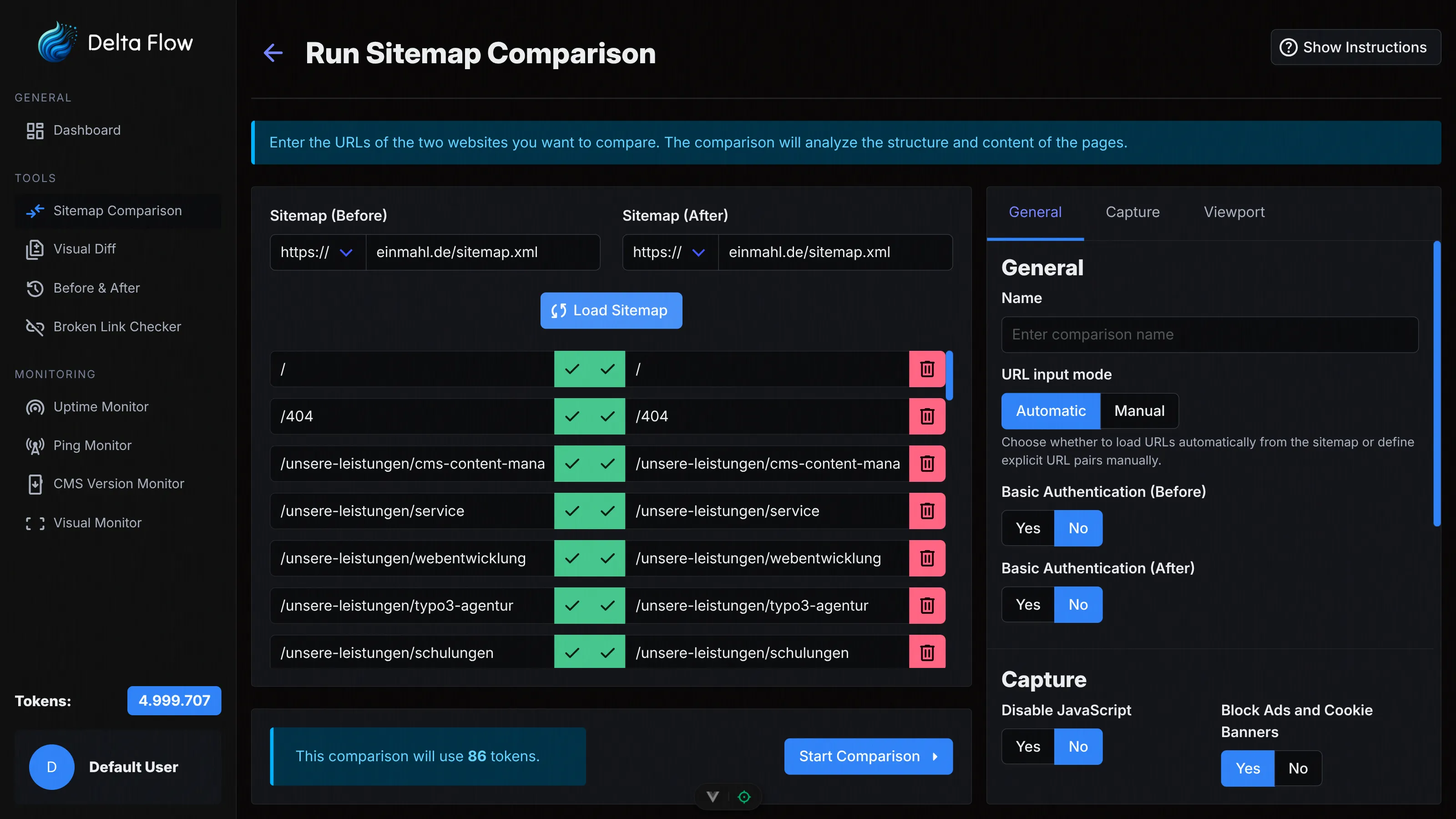
Enter a name and the sitemap URLs for Website A and B. Optionally configure Basic Authentication, viewport settings, and comparison options. Load the sitemaps to see all URLs.

Check Token Consumption
Before starting, you see the expected token consumption based on the number of URLs. 1 token is consumed per compared page, with an optional 2 tokens per detected change for AI descriptions.

Start Comparison
Start the comparison and let the system automatically compare all pages. Progress is shown in real time. You can pause or stop the process at any time.

Analyze Results
View all comparison results in the dashboard with screenshots, diff images, and detailed data. Generate a PDF report or start a new comparison with updated sitemaps.
Technical Details
XML Sitemap Support
Support for standard XML sitemaps and recursive sitemap index files. Automatic URL extraction and normalization for reliable comparisons.
Pixel-Accurate Comparison
Our image comparison algorithm compares screenshots pixel by pixel and calculates precise change percentages. Even the smallest differences are detected and highlighted.
Task Management
Efficient processing of large sitemaps with intelligent task management. Parallel processing for maximum speed with minimal resource consumption.
Viewport Configuration
Configure viewport size and device scale factor for consistent screenshots. Optionally disable JavaScript or block ads.
Basic Authentication
Separate Basic Authentication configurable for Website A and B. This allows even protected staging or development environments to be securely compared.
WebSocket Real-Time Updates
Comparison status and results are transmitted in real time via WebSocket. Progress is always visible live in the dashboard.
Choose Your Plan
All plans include access to all monitoring features. The difference lies in the number of monthly tokens and maximum monitors.
Frequently Asked Questions
Ready to Get Started?
Create your first sitemap comparison today and automatically analyze differences between two websites.